Smart Home Assist app
Everything in your home, on one screen.
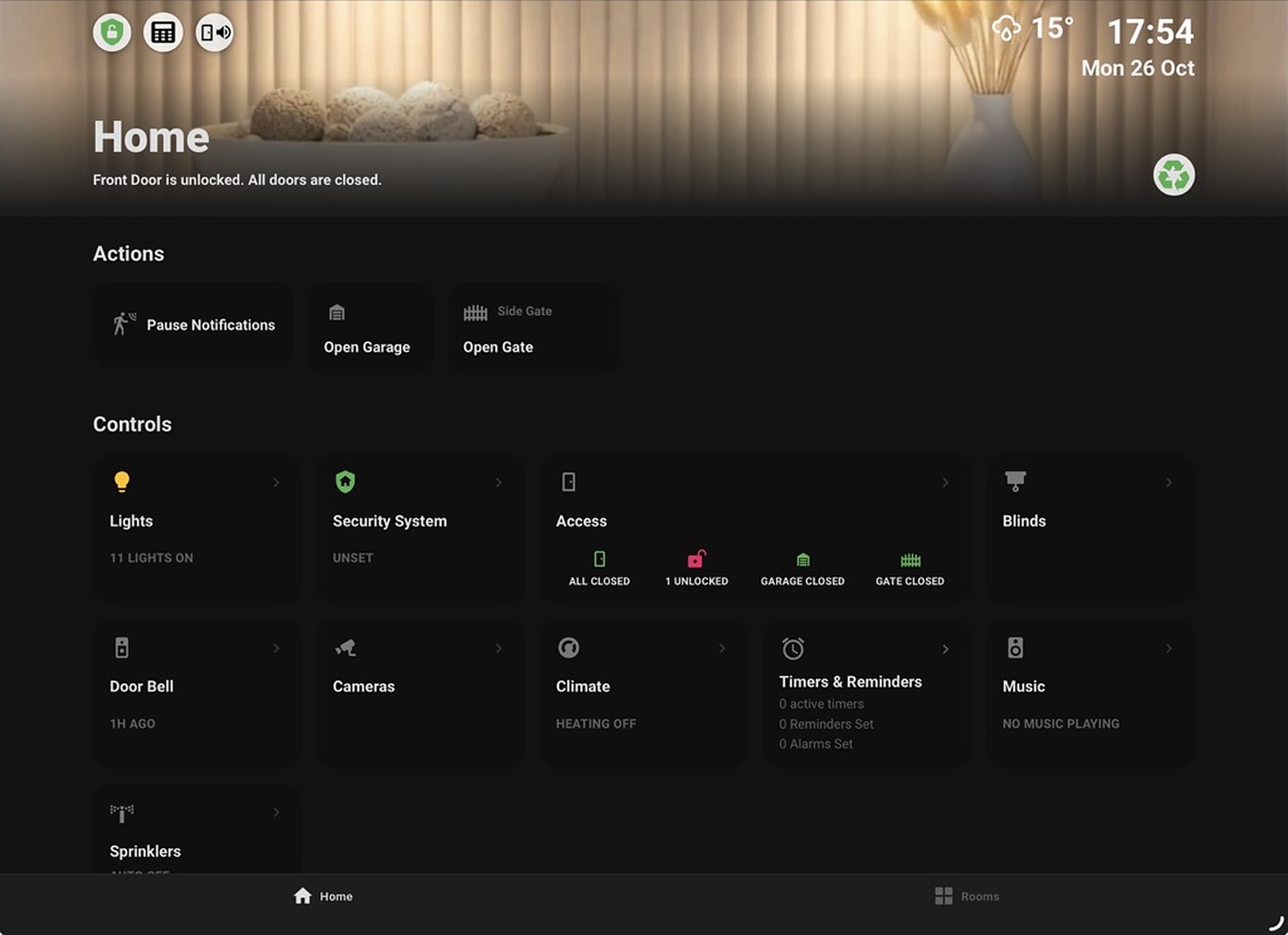
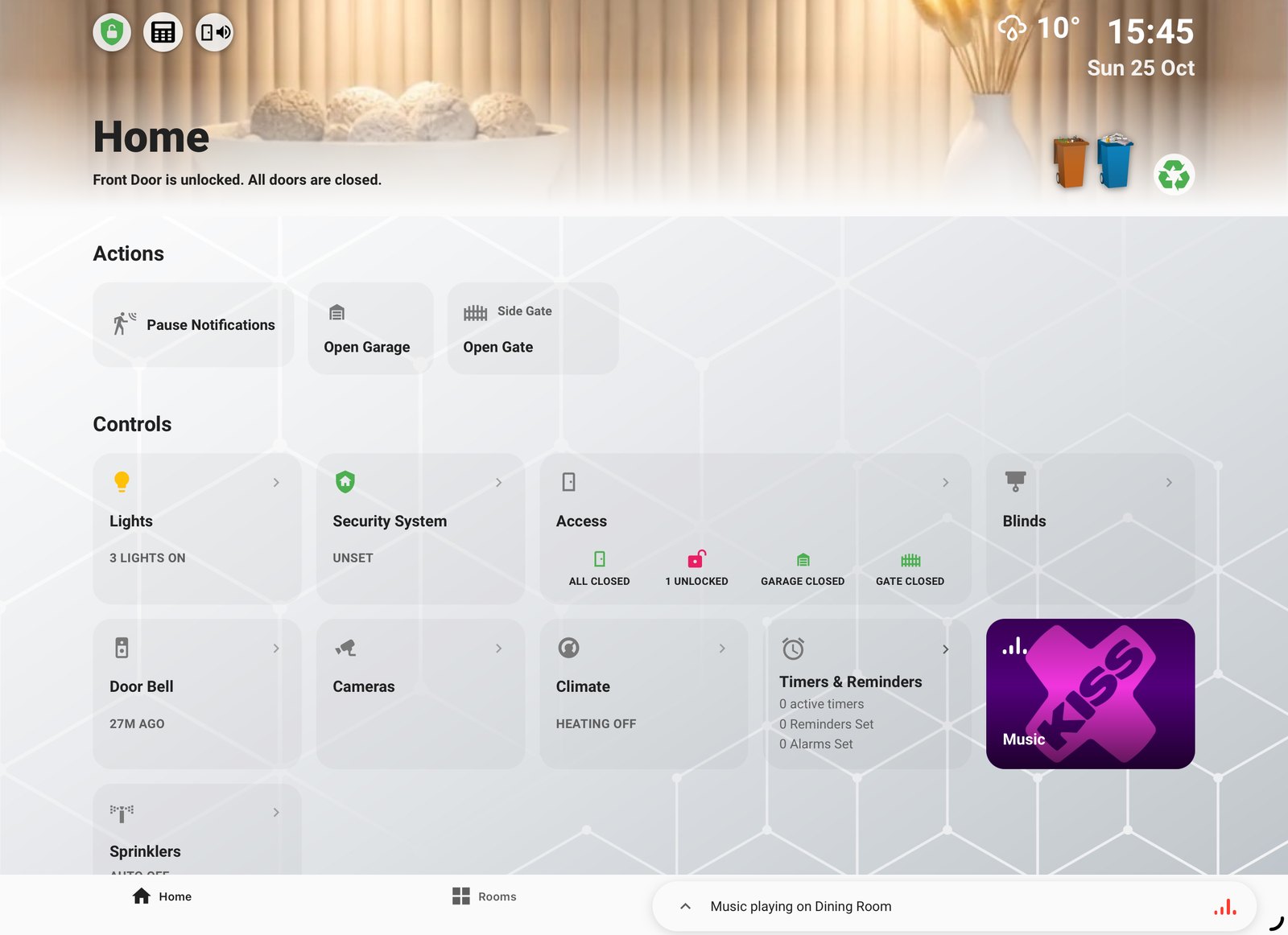
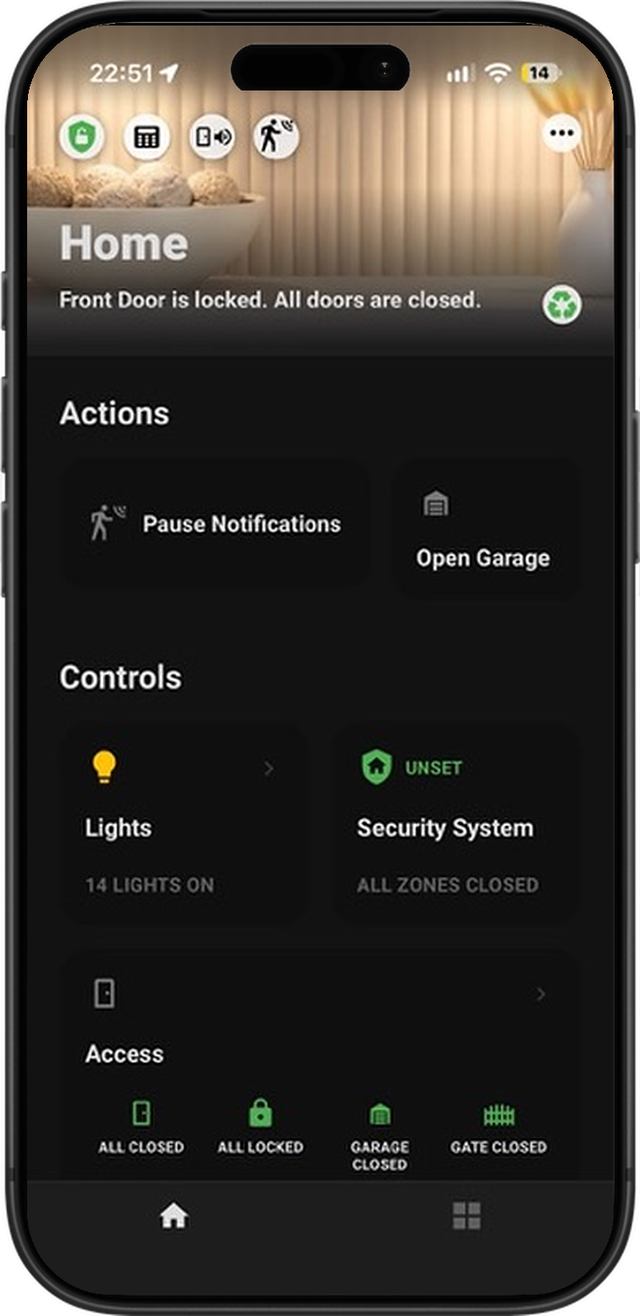
Layouts made separately for phone, iPad, tablet and wall panel, chosen automatically for the device you’re holding. Everything you use daily on the Home page, and the rest one tap away.
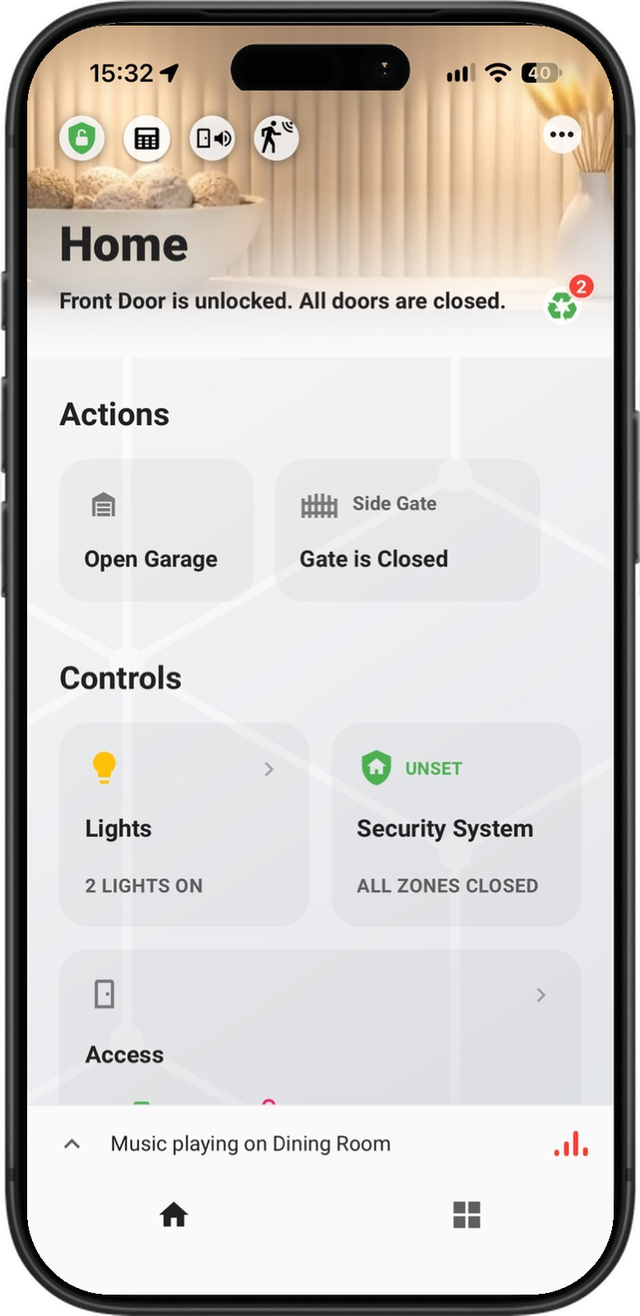
The dashboard
What you can control.
Works the same on every platform. Hornet sets up what your home has.
Home page
Status icons, weather, actions, door and gate controls, vehicles and the recycling-bin indicator.
Rooms & lighting
On, off, brightness and colour; “all lights” for each room; scenes.
Blinds & shutters
Individually or in groups, fully or partly open or closed.
Heating
Climate controls for each room or zone.
Security
Alarm status and keypad, zones, door and gate pop-ups, and an intercom you can speak through.
Cameras & doorbell
Live view and snapshot pop-ups.
Music & TV
Now playing, volume, speaker groups and browse media.
Garage doors & gates
With hold-to-confirm, so nothing opens by accident. We can often make a standard electric gate smart.
Garden & irrigation
Watering controls and progress.
Timers & alarms
Including your Alexa timers.
Vehicles & EV charger
Car status and controls. Start or stop charging, change mode and current limit, or run a timer.
Light, dark or automatic
Follows the house’s light sensor or the sun, if you like.
Live demo
Try it yourself, right now.
The real Smart Home Assist app, running on a pretend home. Ring the doorbell, dim the lights, close the blinds and change the heating, on a phone or a tablet. No download needed.
Inside the app
A few of the screens you’ll use every day.
-
Room by room
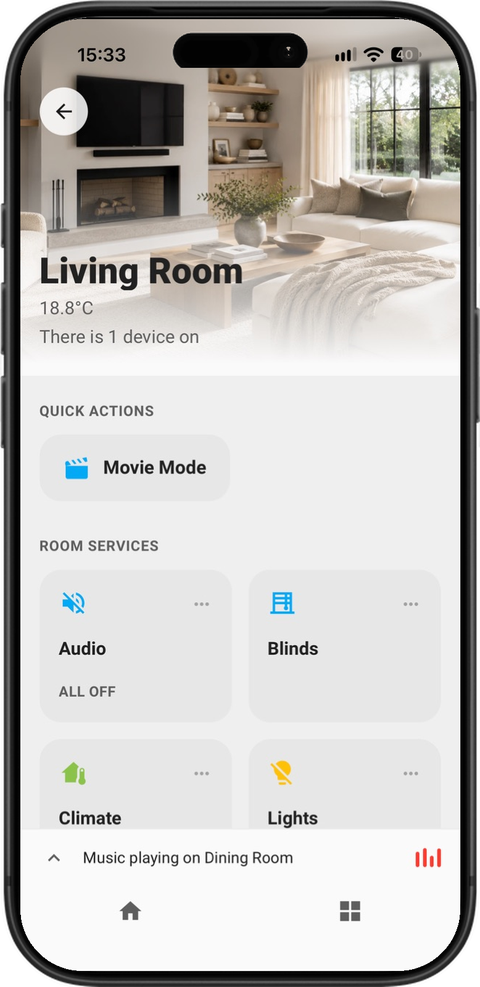
Each room on its own screen, with scenes for audio, blinds, climate and lights.
-

Lighting
Switch and dim every light in a room, or the whole room at once.
-
Alarm
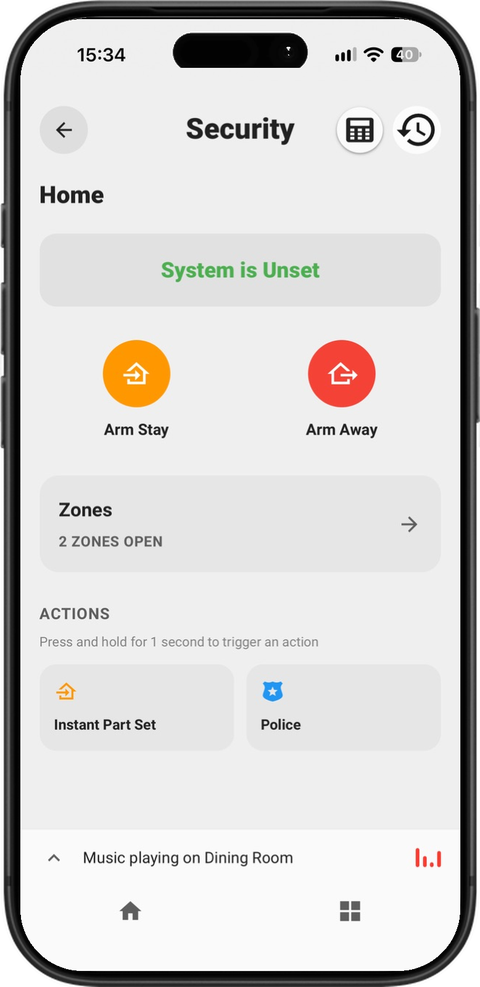
Arm Stay or Arm Away, check zones and see the history.
-

Gates
Open, close, partial open or hold the gate open.
-

Blinds & shutters
Open, close or stop each blind, or the whole room.
-

Bin reminders
Which bin goes out next, and when.
-

Door announcements
Choose which doors and gates are announced.
For the whole household
Made for everyone in the house.
A view for each person
Choose which pages each person sees, which layout they land on and whether they can change the theme.
Their own notifications
Everyone picks the alerts they want on their own Notifications page.
Several sites, one app
Home and holiday home in one app, with the right address used automatically.
Wall tablets
Wall panels can sign in automatically, so the hallway screen is always ready.
Phone extras
Faster than opening the app.
Widgets & shortcuts
One-tap gate or scene from iPhone widgets, Siri, Control Center, or Android widgets and quick-settings tiles.
Phone sensors, if you want
Share battery, WiFi, arrive and leave, steps, Do Not Disturb and more with your home. Each group has its own switch.
Pick your app icon
A choice of colour and Hornet-branded icons, chosen by Hornet for your site.
Update notice
The app tells you when a new version is available.
See Smart Home Assist on your own phone.
We’ll show you the app on a free survey and talk through what you’d like it to do.